

 ERP Implementation
 System Customization
 System Integrations
 Technical Consulting
 Training & Knowledge Transfer
 Ongoing Technical Support
 Accounting Module
 Sales Module
 CRM Module
 Inventory Module
 Purchase Module
 HR & Payroll Module
 Manufacturing
 Quality
 Assets Module
 Projects Module
 Restful Coworking Space Management system
 Blogs
 FAQs
 about Us
 Our Team
 Sectors
 Our Customers
 Privacy Policy
 Terms & conditions
How Does an ERP System Work? Understanding How It Connects Business Data and Processes
ERP & Business Management (2026-11-03)
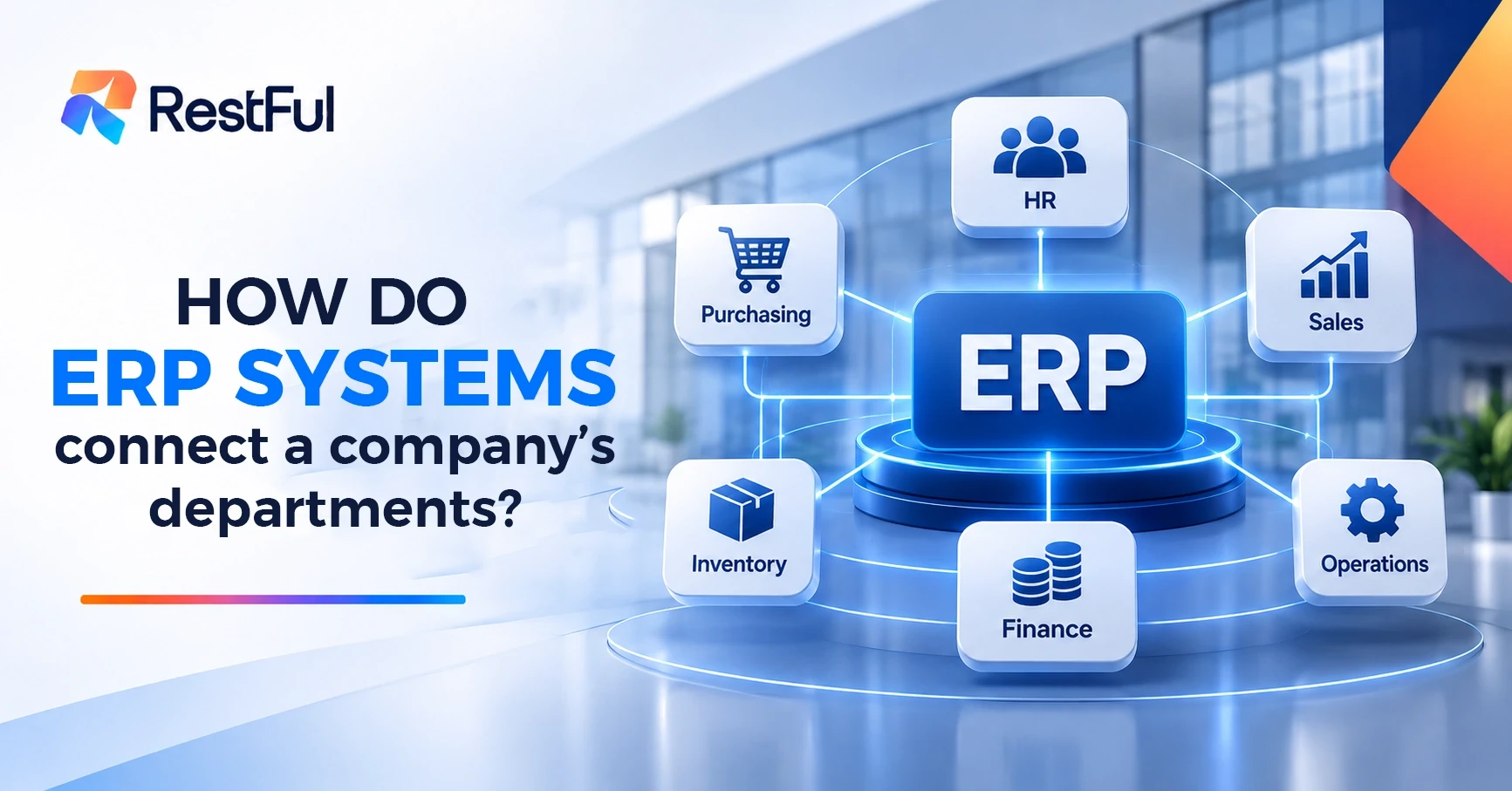
Have you ever wondered how an ERP system works and how businesses use it to connect their operations? Sales directly affect inventory and accounting, while purchasing is linked to suppliers and warehouses. But how can a company manage all these activities without duplicating data or relying on multiple disconnected systems? An Enterprise Resource Planning (ERP) system connects these activities through a unified platform. It allows different departments to share information, coordinate their work, and access consistent, connected business data.
How Does an ERP System Work?
An Enterprise Resource Planning (ERP) system works through a centralized database that collects and stores information from different business departments. It connects various modules used to manage operations such as sales, purchasing, inventory, and accounting.
When a transaction is entered into the system, the relevant information is shared with other connected modules according to the transaction type and the system's configuration. This eliminates the need for employees in different departments to enter the same information separately.
This process relies on three main components:
-
Centralized Database: Collects business data and provides a shared source of information across the company.
-
Integrated Modules: Manage the functions of different departments and allow them to exchange relevant data.
-
Workflows and User Permissions: Organize how business processes are carried out, define responsibilities, and control each user's access to information.
Together, these components help businesses manage their operations through one connected system rather than separate applications.
How Does Data Move Between Departments in an ERP System?
Consider a trading company that completes a sale to one of its customers. The process begins when a sales order is created. The system then checks whether the requested products are available in inventory.
Once the sale is completed and the products are issued, the inventory records are updated. The sales invoice is also recorded, and the related financial transactions are reflected in ERP accounting system.
After the customer pays the invoice, their outstanding balance is updated and the payment transaction is recorded.
In this example, a single sales transaction connects several departments. Employees can follow its different stages through one system without having to enter the same information manually into separate applications.
The same principle applies to purchasing operations. A purchase transaction can connect the purchasing department with suppliers, warehouses, inventory records, supplier invoices, and accounting.
This integration helps businesses maintain more consistent records and gives different departments access to the information they need to complete their tasks.
How Do Reports and User Permissions Help Manage an ERP System?
An ERP system does more than record business transactions. It also helps managers monitor operations through reports and dashboards that present information in an organized and accessible format.
Depending on the system's configuration and the data recorded, managers can review sales performance, inventory balances, customer receivables, and financial information. These reports help them understand business activities and monitor important operational and financial indicators.
ERP systems also allow businesses to assign user permissions based on job responsibilities , and ERP customization lets each business tailor roles and reports to its own processes.
For example, a sales employee may only need access to sales orders and customer information, rather than the company's complete financial records. A finance manager, on the other hand, may require broader access to accounting data and financial reports.
By assigning appropriate permissions, businesses can organize responsibilities and control who can view or modify specific information within the system.
Are Data Updates Automatic in an ERP System?
Data is reflected in the relevant connected modules when a transaction is entered or approved, depending on the ERP system's configuration and workflow settings.
However, automatic updates depend on proper ERP implementation, correctly configured processes, and employees consistently recording actual business transactions.
For this reason, businesses need to define their workflows, configure the system according to their operational requirements, and ensure that employees follow the agreed procedures.
An ERP system can help reduce repeated data entry and improve information sharing, but its effectiveness depends on how well it is configured and used.
Frequently Asked Questions
How does an ERP system connect different departments within a company?
An ERP system connects departments through a centralized database and integrated modules. These components allow relevant information to be shared between departments according to the type of transaction and the system's configuration.
Do employees need to enter the same data more than once in an ERP system?
Not usually. An ERP system helps reduce duplicate data entry by sharing information between connected modules. However, the extent of automation depends on the system's setup and workflows.
Can user permissions be customized in an ERP system?
Yes. Businesses can assign user permissions based on employees' roles and responsibilities. This helps control access to business information and organize who can perform specific actions within the system.
How does an ERP system connect sales and inventory?
When a sales transaction is processed, the system can check product availability and update inventory records when the products are issued. This allows sales and inventory information to remain connected.
Does an ERP system update accounting records automatically?
It can update relevant accounting records when transactions are entered or approved, depending on the system's configuration and integration settings. Proper setup is essential for accurate updates.
Are all ERP systems based on one centralized database?
Many ERP systems use a shared database or an integrated data architecture to connect their modules. The exact technical design can vary depending on the ERP solution and its deployment model.
Looking for a Better Way to Connect Your Business Operations?
If your company struggles with disconnected processes, duplicated data, or difficulty coordinating different departments, an ERP solution may help bring your operations together.
At RESTFUL, our experts work with businesses to understand their requirements and implement ERP systems and solutions that match their operational needs. From technical consulting to ERP integration, we help you identify an approach that supports your business processes.
Contact the RESTFUL team to book a consultation and discuss your company's requirements.
Visit our website to get in touch and explore the right ERP solution for your business.